
How to Add a Digital Signature Field to Shopify Forms for Contracts, Waivers & B2B Agreements
Whether you operate equipment rentals, custom wholesale fabrication, sports waivers, or B2B credit applications, paper contracts kill conversion rates. Learn how Formpify's native Digital Signature field lets customers sign directly on mobile or desktop, storing tamper-proof signature logs directly inside your Shopify store.
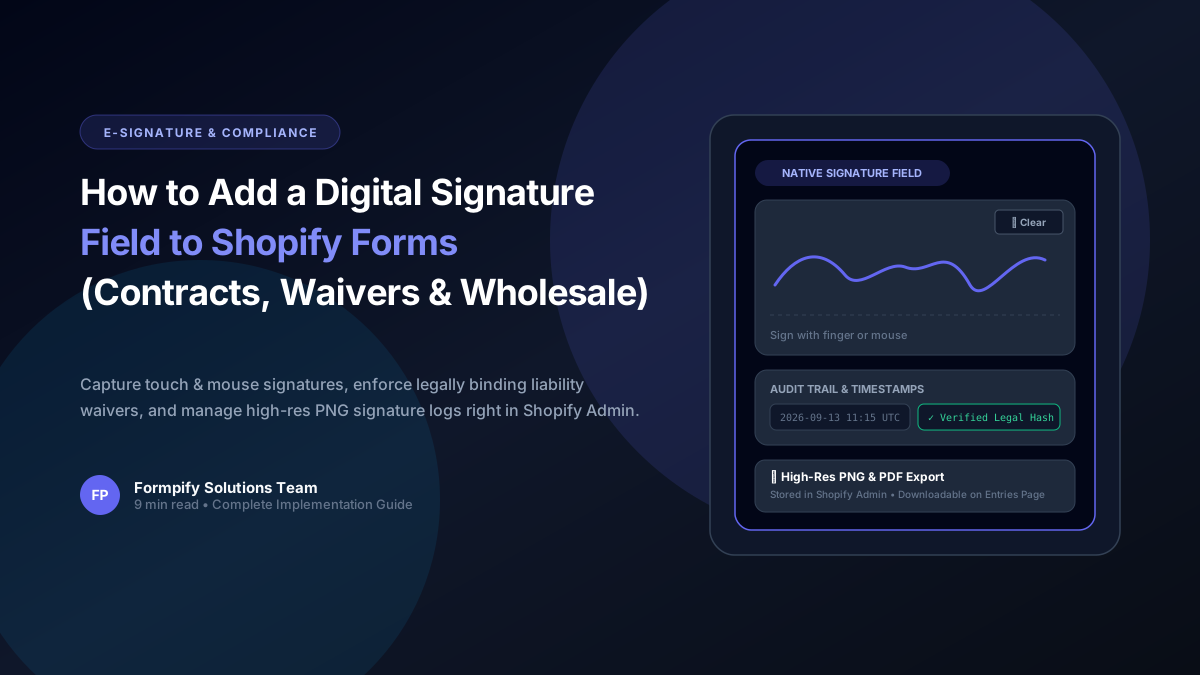
- Paper contracts, third-party DocuSign redirects, and PDF printouts create devastating drop-offs, slashing conversion rates on rental and custom product agreements by over 40%.
- Formpify features a native, zero-code HTML5 Canvas Digital Signature field engineered with smooth multi-touch, stylus, and desktop mouse tracking across all Shopify 2.0 themes.
- Granular customizer controls let you tailor canvas width, responsive height (120px - 300px), pen stroke color, background canvas tone, and dedicated one-touch 'Clear' action buttons.
- Signatures are rendered client-side into crystal-clear lossless base64 PNG data, securely attached to the form submission record with exact submission timestamps and customer metadata.
- Shopify Admin entries interface provides an instant high-resolution signature preview modal alongside a dedicated one-click download ('download="signature.png"') for offline archiving.
- Combining digital signatures with conditional logic, ID file uploads, and GDPR/Terms consent checkboxes forms a legally robust, audit-ready compliance funnel directly inside your store.
Table of Contents
- →1. The Death of Paperwork: Why Shopify Merchants Need Embedded E-Signatures
- →2. Top E-Commerce Use Cases for Digital Signatures (Waivers, B2B, Custom Orders, Rentals)
- →3. Anatomy of Formpify's Signature Engine (Touch, Styling & Lossless PNG Encoding)
- →4. Step-by-Step Guide: Adding a Signature Field to Your Shopify Form
- →5. Legal & Audit Management: Inspecting and Exporting Signatures in Shopify Admin
- →6. Best Practices: Creating Watertight, Legally Binding Shopify Agreement Forms
1. The Death of Paperwork: Why Shopify Merchants Need Embedded E-Signatures
For eCommerce merchants operating high-liability, customized, or B2B business models, order fulfillment requires far more than a standard name and shipping address. Consider these routine scenarios:
- Equipment & Party Rentals: An outdoor gear outfitter renting mountain bikes, ski equipment, or event tents requires renters to accept equipment liability and damage responsibility before dispatch.
- Made-to-Order & Custom Fabrication: An artisanal jeweler or custom furniture maker producing bespoke $3,000 goods cannot begin production without written customer sign-off on non-refundable dimensional specifications.
- B2B Wholesale & Credit Accounts: A supplier extending Net-30 credit terms needs authorized business representatives to execute corporate guarantees and payment contracts.
- Activity & Workshop Waivers: A surf school, fitness studio, or cooking academy selling digital tickets or workshop bookings must secure signed liability waivers before participants arrive.
⚠️ The Conversion Killer: Fragmented E-Signature Tools
Historically, merchants emailed PDF waivers or redirected buyers offsite to DocuSign or PandaDoc costing $25-$60/month. Over 45% of customers abandon offsite redirect steps, creating inventory bottlenecks and endless customer support follow-ups.
The modern solution is native on-page signature capture. With Formpify, merchants can embed responsive, touch-friendly digital signature fields directly into their Shopify registration, rental, custom order, and quote request forms without third-party subscriptions or iframe redirects.
2. Top E-Commerce Use Cases for Digital Signatures (Waivers, B2B, Custom Orders, Rentals)
Integrating digital signatures directly into your Shopify storefront unlocks frictionless, legally compliant workflows across diverse verticals:
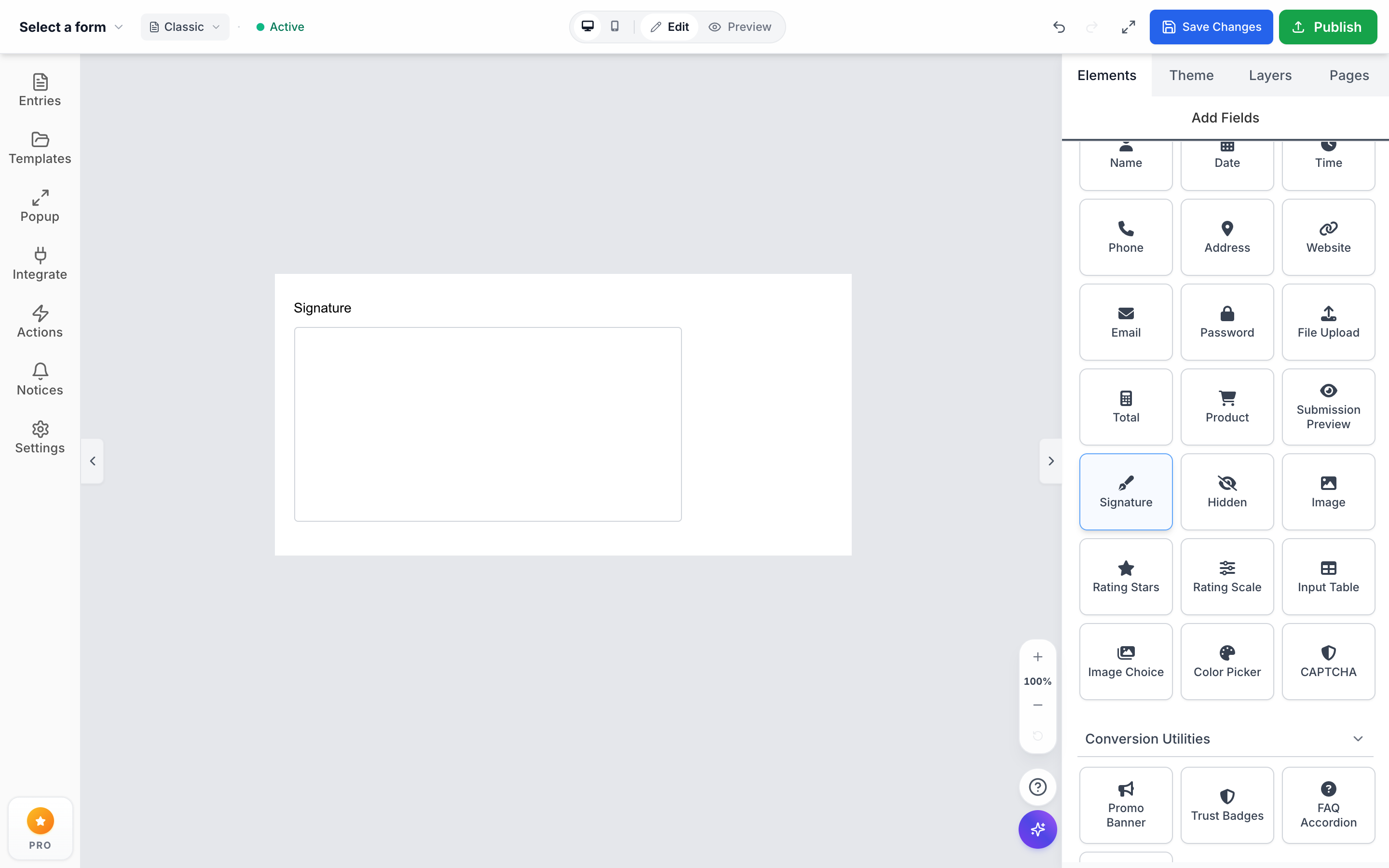
Formpify Native Signature Field: Smooth touch and stylus drawing canvas with interactive Clear button embedded on Shopify
Rental Agreements & Liability Waivers
Rent camera gear, vehicles, or event furniture. Customers sign liability terms with a fingertip before items ship.
Custom Proof & Dimension Approvals
Protect against chargebacks by capturing legal sign-off on custom engraving, dimensions, or bespoke artwork mockups.
B2B Wholesale & Net-30 Contracts
Execute trade credit agreements, corporate director guarantees, and tax exemption commitments directly on your registration page.
Activity, Class & Event Releases
Eliminate front-desk clipboards. Workshop attendees and tour participants sign online right from their smartphones.
3. Anatomy of Formpify's Signature Engine (Touch, Styling & Lossless PNG Encoding)
Formpify's Digital Signature field is engineered specifically for Shopify merchants who require enterprise-grade reliability and aesthetics:
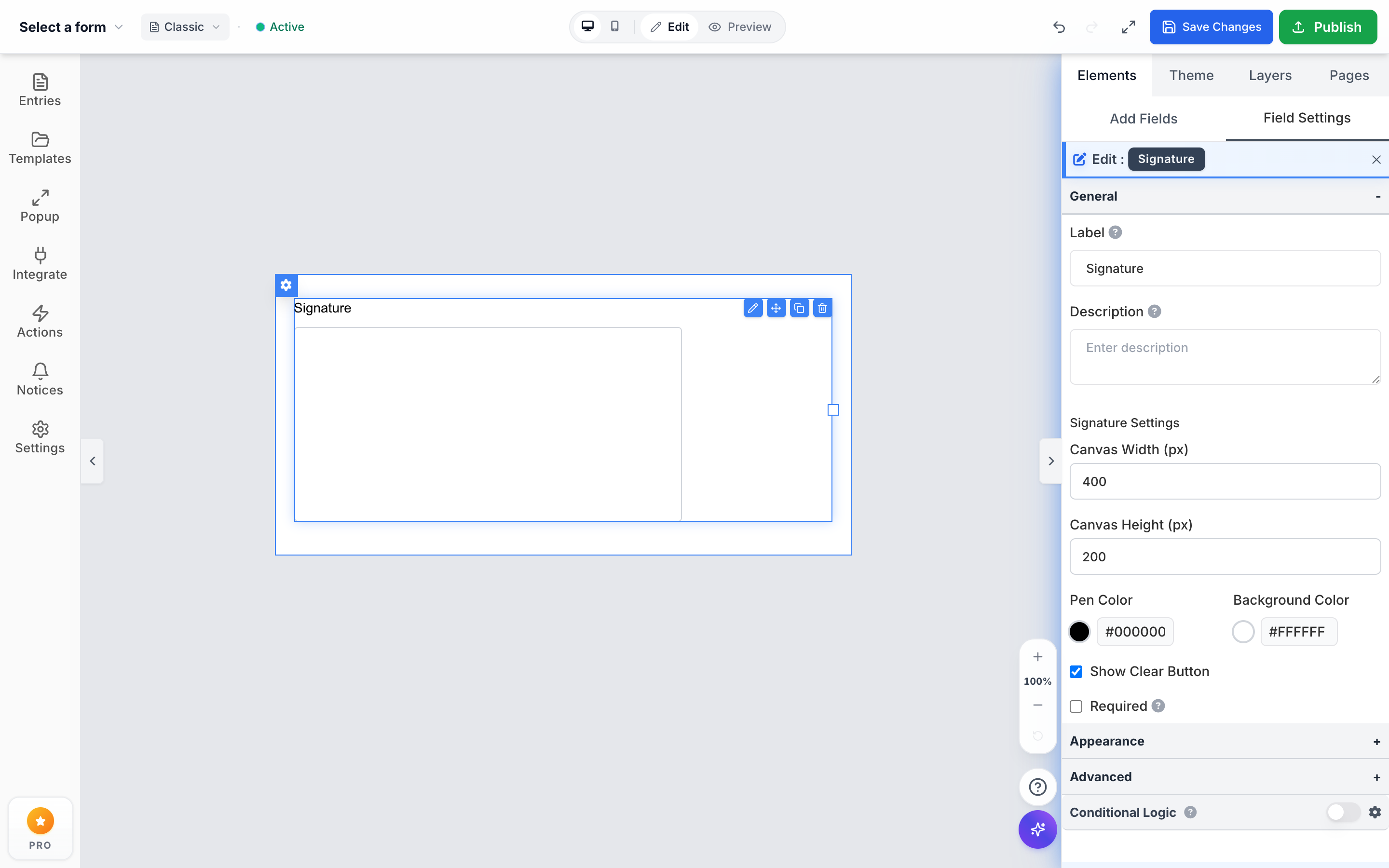
Formpify Builder Field Settings: Granular controls for Canvas Width, Height, Pen Color, Background Color, and Clear Button
Core Technical Capabilities:
data:image/png;base64,...), preserving razor-sharp fidelity for print or PDF generation.
#000000 or corporate blue #1E3A8A), and background tones to seamlessly blend with your Shopify theme.
✕ Clear button allowing signers to instantly wipe the canvas and re-sign if they make a mistake.
4. Step-by-Step Guide: Adding a Signature Field to Your Shopify Form
Configuring an e-signature agreement form in Formpify takes less than three minutes:
- Open Formpify Form Builder: In Shopify Admin, open Apps > Formpify Form Builder and select Create New Form (or edit an existing form).
- Add the Signature Field: From the left field library, drag the Signature field onto your form canvas, positioning it directly after your contract clauses or terms summary.
- Configure Field Settings: Click the Signature element to open the right sidebar. Adjust your label (e.g. "Authorized Signatory"), set canvas height to
160px, choose your pen color, and toggle Show Clear Button to ON. - Mark as Required: Ensure the Required toggle is active so submissions are blocked until a valid signature is rendered.
- Pair with Legal Agreement Elements: Add a Text / HTML block displaying your agreement summary, a Checkbox field for explicit consent ("I agree this digital signature has legal validity"), and an optional File Upload field for driver's license or photo ID.
- Save & Embed: Click Save Form. Embed the form onto any Shopify page via the native 2.0 Theme Editor App Block or using the shortcode
[formpify_form id="YOUR_ID"].
5. Legal & Audit Management: Inspecting and Exporting Signatures in Shopify Admin
Formpify organizes every signature directly inside your Shopify store, eliminating messy external third-party portals:
1. High-Res Modal View
Click any submission in Formpify > Submissions to view the crisp signature popup alongside customer name, email, IP, and timestamp.
2. One-Click PNG Download
Click download="signature.png" to save lossless transparent signature files directly into your local or cloud legal records.
3. Print-Ready Audit Logs
Export printable PDF records combining full form text, customer data, and embedded signatures for court or insurance compliance.
6. Best Practices: Creating Watertight, Legally Binding Shopify Agreement Forms
To ensure compliance with global e-signature frameworks—including the US ESIGN Act, Uniform Electronic Transactions Act (UETA), and EU eIDAS Regulation—follow these key practices:
| Compliance Pillar | Legal Purpose | Formpify Implementation |
|---|---|---|
| Intent to Sign | Proves conscious action by the user | Interactive canvas requiring physical drawing (touch or mouse) |
| Record Binding | Permanently attaches signature to submitted terms | Base64 PNG permanently bound to immutable submission record |
| Explicit Consent | Confirms agreement to conduct business electronically | Mandatory consent checkbox adjacent to signature field |
| Audit Trail | Verifies timestamp, IP address, and signer metadata | Automatic logging of UTC timestamp, IP, and user-agent string |
With Formpify, your store gains an enterprise-ready legal agreement engine that converts higher, costs zero additional SaaS fees, and keeps 100% of your data securely inside your Shopify environment.
Add legally binding digital signatures to Shopify forms
Capture touch and mouse signatures on any device and export high-res PNGs inside Shopify Admin.
Ready to supercharge your Shopify forms?
Join thousands of merchants creating custom forms, surveys, and live cost calculators.