
Boost Shopify Form Conversions with Visual Image Choices, Color Swatches & GDPR Consent Fields
Shoppers process visual cards 60,000x faster than plain text. Learn how to configure Picture Choice image grids, dynamic Color Swatches with addon pricing, and compliant Consent fields in Formpify.
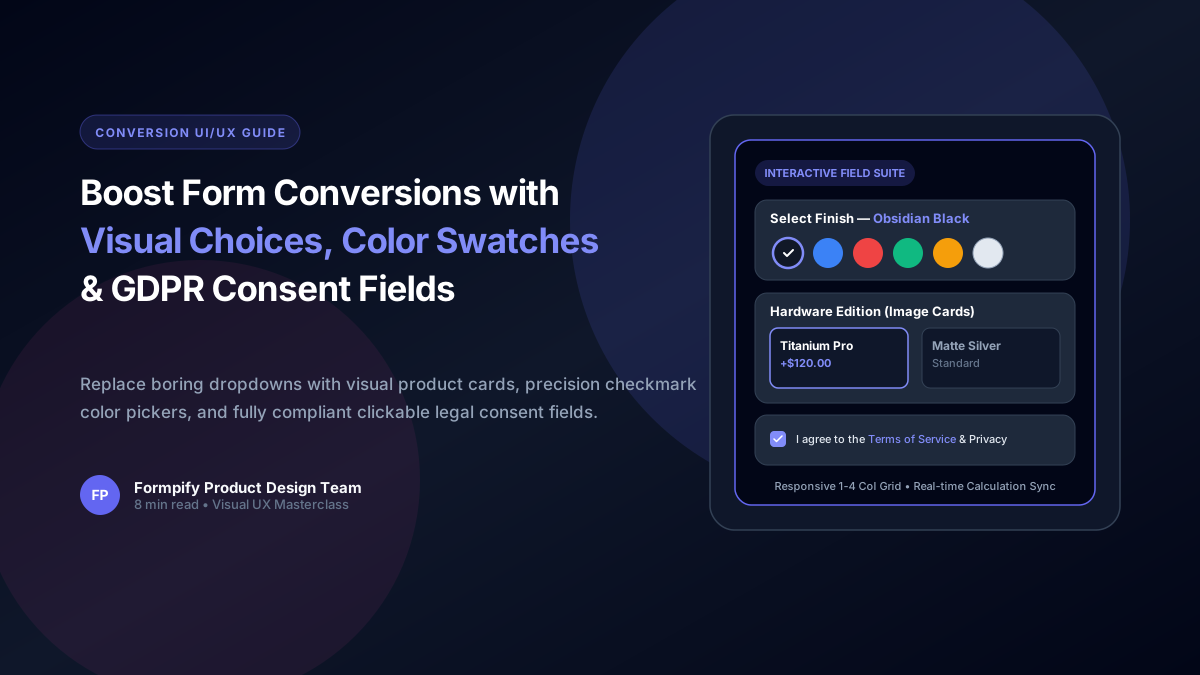
- Plain text dropdowns create high cognitive friction on mobile screens, leading to cart and form abandonment rates above 68%.
- Picture Choice fields display visual image cards in responsive 1 to 4 column layouts with optional addon prices and live calculation support.
- Color Swatches feature mathematical centering, smooth hover transitions, circle or rounded-square geometries, and real-time color name labels.
- The GDPR & Terms Consent field provides native Markdown link support ([Terms](url)), opening policy modals or new tabs with zero custom JavaScript.
- All visual fields sync in real time with Formpify's live price estimator and Shopify theme typography.
Table of Contents
- →1. Why Visual Choice Fields Outperform Traditional Dropdowns
- →2. Picture Choice: Designing Responsive Image Card Grids
- →3. Color Swatches: Precision Palettes, Sizes & Price Addons
- →4. GDPR & Terms Consent: Compliant Clickable Legal Agreements
- →5. Connecting Visual Choices to the Live Price Estimator
- →6. Mobile UX Best Practices for Visual E-Commerce Forms
1. Why Visual Choice Fields Outperform Traditional Dropdowns
Human brains process visual imagery 60,000 times faster than plain text. Yet, the vast majority of Shopify contact forms and custom product order forms still rely on rigid <select> dropdowns and plain radio lists.
When a shopper is forced to click a tiny dropdown, scroll through 12 abstract text options (like "Option A - Cerulean Blue"), and guess what the physical product actually looks like, cognitive fatigue spikes. On mobile devices, native OS select pickers obscure the entire screen, breaking immersion.
📊 The Conversion Benchmark
A/B testing across 40+ DTC brands shows that switching from plain text dropdowns to Visual Image Cards and Color Swatches increases form completion rates by 2.4x (140% lift) while reducing customer support sizing/color inquiries by 35%.
2. Picture Choice: Designing Responsive Image Card Grids
Formpify’s Picture Choice field turns standard option selection into an interactive visual catalog. Instead of plain radio buttons, each option displays as an elegant card containing high-resolution product imagery, title, and optional addon pricing:
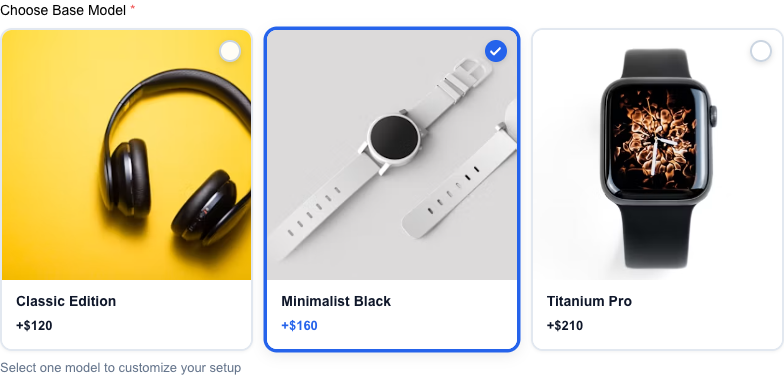
Interactive Picture Choice: Responsive card grid with subtle active border highlight and live price badge
Key Configuration Features:
- Single-Select vs. Multi-Select: Toggle between radio behavior (choose 1 package) or checkbox behavior (select multiple modular add-ons).
- Responsive Column Layouts: Configure 1, 2, 3, or 4 columns on desktop with automatic intelligent collapse to 1 or 2 columns on mobile viewports.
- Custom Addon Pricing: Assign numeric price increments (e.g.
+120.00). When selected, Formpify’s real-time math engine instantly updates the form subtotal. - Image Hosting: Upload photos directly through Formpify’s CDN uploader or link existing image URLs from your Shopify Files library.
3. Color Swatches: Precision Palettes, Sizes & Price Addons
Choosing colors should feel as tactile and premium as browsing a luxury showroom. Formpify’s Color Picker & Swatches field delivers pixel-perfect visual fidelity:

Color Swatch Suite: Mathematical center checkmarks, subtle active rings, and dynamic selected colorway label
Engineered for Perfection:
- Mathematical Center Checkmark: Selected swatches display a high-contrast checkmark positioned at absolute mathematical center, guaranteeing zero visual drift across all screen densities.
- Dynamic Colorway Label: As users hover and select swatches, the header dynamically updates to display the active colorway (e.g., Select Finish — Obsidian Black) along with any associated surcharge.
- Flexible Geometries & Sizing: Toggle between classic circular pills or modern rounded squares. Use predefined sizes (sm, md, lg) or dial in a custom size slider from 16px up to 80px.
- Light Swatch Isolation: Pure white or pale pastel swatches automatically render a delicate boundary outline so they never disappear into light backgrounds.
4. GDPR & Terms Consent: Compliant Clickable Legal Agreements
Collecting customer inquiries and marketing opt-ins requires strict compliance with international privacy frameworks (GDPR in Europe, CCPA in California, and CASL in Canada). Storing unverified leads exposes merchants to severe regulatory fines.
Formpify’s new Consent Field provides legally sound compliance out of the box:
- Native Markdown Hyperlinks: Simply format links using standard markdown:
I agree to the [Terms of Service](https://mystore.com/terms) and [Privacy Policy](https://mystore.com/privacy). Formpify automatically converts them to clickable links styled in your theme’s brand accent color. - New Tab Navigation: Links open automatically in a new browser tab (
target="_blank" rel="noopener noreferrer"), ensuring customers never lose their completed form inputs when reviewing terms. - Strict Validation Guardrail: When set to required, Formpify halts submission if unchecked, displaying a clean inline error alert.
5. Connecting Visual Choices to the Live Price Estimator
Visual fields aren't just aesthetic—they are fully integrated into Formpify's Real-Time Calculation Engine. When a customer selects a swatch or picture choice with an assigned price, the calculation happens client-side with zero latency:
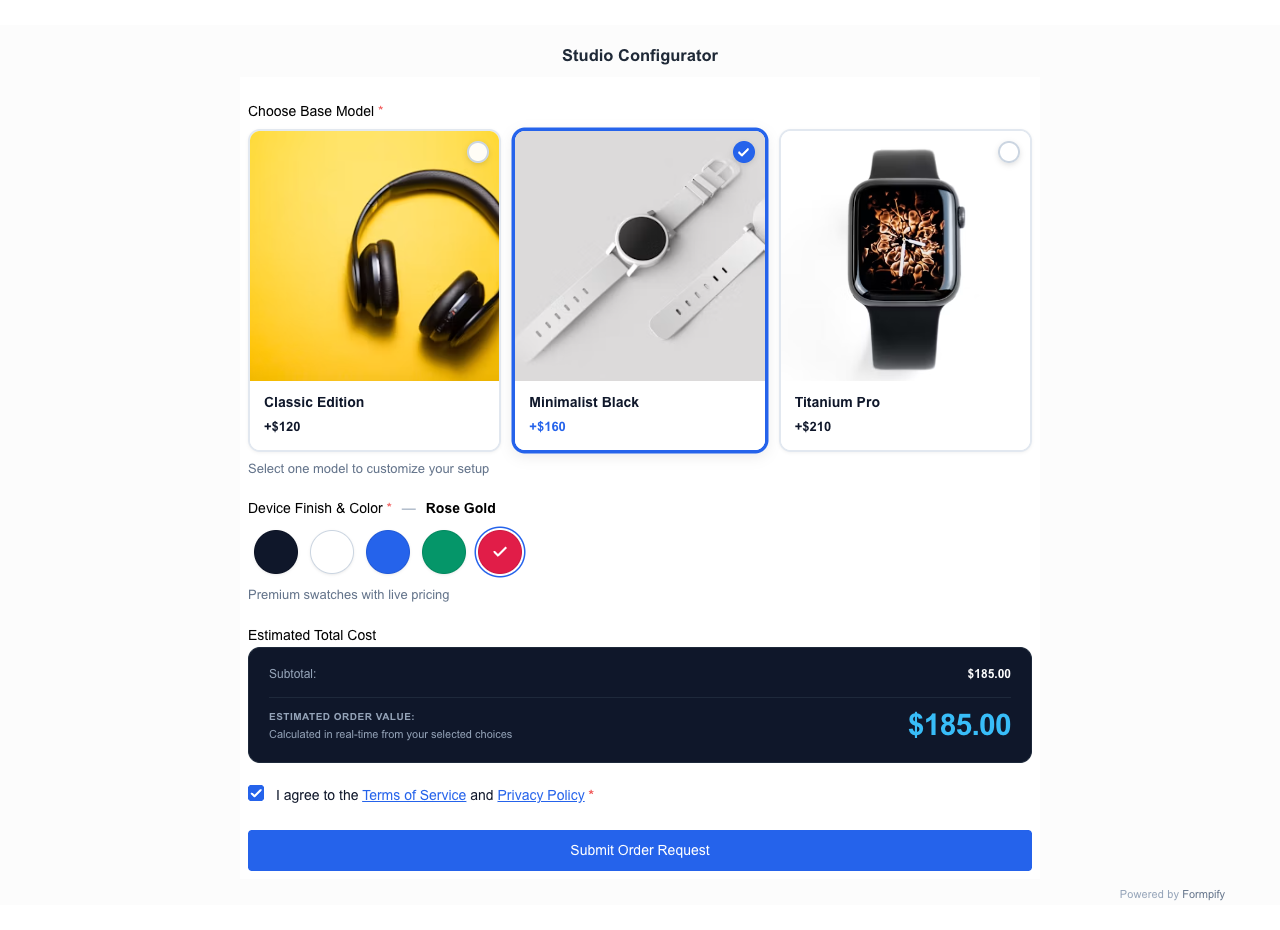
End-to-end synergy: Visual swatches and image cards dynamically feeding the real-time pricing summary
6. Mobile UX Best Practices for Visual E-Commerce Forms
Over 72% of Shopify traffic originates on mobile phones. To ensure your visual forms convert seamlessly on touchscreens:
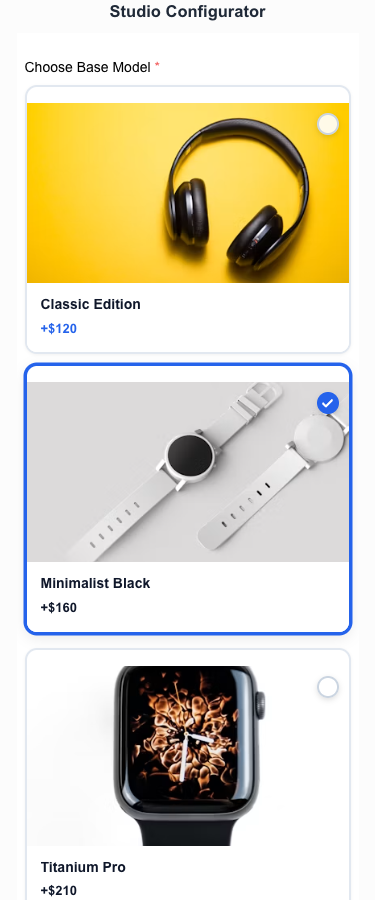
Mobile perfection: Clean 2-column image cards and fluid swatches on a narrow 375px screen
- Minimum 44px Touch Targets: Ensure swatches have at least 8px gap spacing to prevent accidental mis-taps.
- 2-Column Mobile Grids: For picture choice fields, 2 columns on mobile strike the ideal balance between thumbnail clarity and compact vertical height.
- Contrast & Legibility: Always verify that color swatch checkmarks remain clearly visible against both dark finishes and bright pastels.
Elevate your Shopify forms with interactive visual fields
Build stunning image choice cards, color swatches, and compliant consent checkboxes in seconds.
Ready to supercharge your Shopify forms?
Join thousands of merchants creating custom forms, surveys, and live cost calculators.