
How to Build High-Converting Shopify Popup & Modal Forms (Without Hurting PageSpeed)
Engage departing shoppers and capture leads at peak intent without slowing down your Shopify store. Step-by-step trigger, delay & scroll percentage setup.
- Traditional popup apps inject 300KB–500KB of third-party iframes and tracking scripts that degrade Google Core Web Vitals (LCP and CLS).
- Formpify popups render via native DOM hydration (<15KB gzip deferred) ensuring 100% green PageSpeed scores across mobile and desktop.
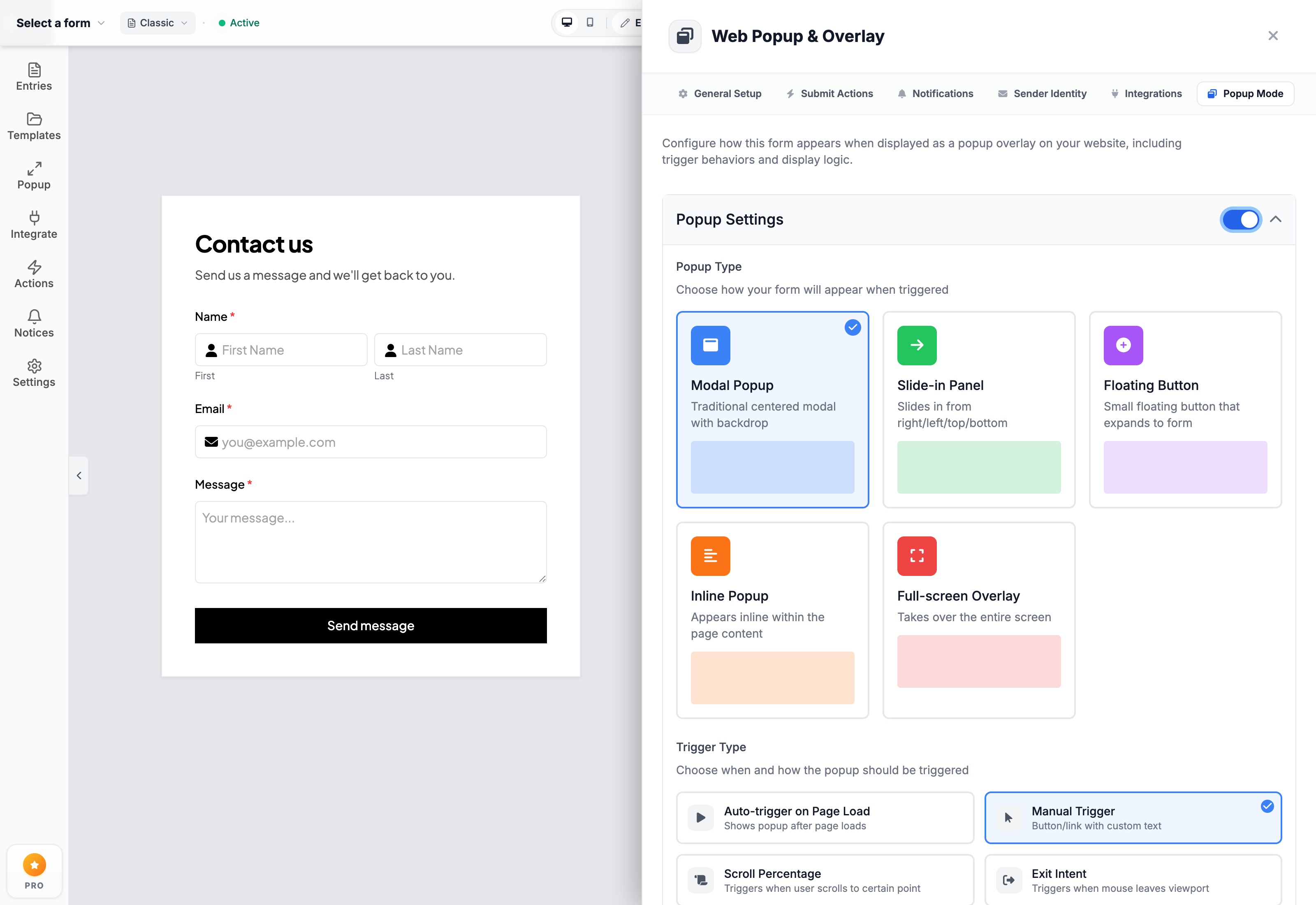
- Supports 5 distinct display modes: Centered Modal, Slide-In Drawer, Floating Sticky Pill, Inline Expander, and Full-Screen Overlay.
- Granular trigger rules include Auto-load delay, Scroll percentage (e.g. 50%), Exit-intent velocity detection, and Manual element CSS selector clicks.
- Built-in session frequency capping prevents intrusive re-prompting and ensures full compliance with Google's mobile interstitial policies.
Table of Contents
- →1. Why Most Popup Form Apps Destroy PageSpeed & SEO
- →2. Zero-Lag DOM Hydration vs Heavy Iframes
- →3. 5 High-Converting Display Modes (Modals, Drawers & Pills)
- →4. Intelligent Trigger Mechanics: Exit Intent & Scroll Depth
- →5. Step-by-Step: Creating a Slide-Out Inquiry Drawer in Formpify
- →6. Mobile UX & Google Interstitial Penalty Compliance
1. Why Most Popup Form Apps Destroy PageSpeed & SEO
Popups and slide-out inquiry panels are undeniably effective. Across e-commerce benchmarks, dynamic overlay forms generate 3x to 5x higher conversion rates than static footer links or disconnected contact pages. Whether you are capturing custom order specifications, offering a sizing consultation, or converting abandoning traffic into wholesale leads, presenting the form at the moment of peak intent is critical.
Yet, many Shopify merchants actively avoid popups because conventional popup apps create severe technical liabilities:
- Bloated Third-Party Bundles: Most legacy popup tools inject 300KB to 700KB of external JavaScript, full jQuery runtimes, and analytics beacons that block the main browser thread.
- Damaged Core Web Vitals: Heavy iframes trigger noticeable Cumulative Layout Shifts (CLS) and push Largest Contentful Paint (LCP) past Google's strict 2.5-second threshold.
- Google Mobile Penalties: Intrusive popups that immediately cover the viewport upon mobile landing violate Google's Intrusive Interstitial guidelines, leading to organic ranking demotions.
The Performance Truth
A 1-second delay in mobile page load time can reduce conversion rates by up to 20%. Popup forms should enhance conversions, not sacrifice store speed.
2. Zero-Lag DOM Hydration vs Heavy Iframes
Formpify solves the popup dilemma through modern architectural design. Rather than embedding an isolated, slow-loading iframe, Formpify forms are injected directly into your Shopify theme via lightweight Theme App Extensions and hydrated asynchronously.
- Sub-15KB Deferred Payload: The overlay engine executes only after your critical storefront assets have painted, maintaining clean 90+ mobile PageSpeed scores.
- Hardware-Accelerated CSS Transitions: Smooth fade, slide, and scale animations utilize GPU transforms (
translate3dandopacity) without causing CPU layout thrashing. - Native Theme Auto-Inheritance: Forms naturally inherit your store's typography, button border-radius, and brand color palette without loading duplicate external font files.
3. 5 High-Converting Display Modes (Modals, Drawers & Pills)
Different user journeys require distinct interface formats. Formpify provides five versatile display configurations inside the Web Popup & Overlay panel:
- Modal Popup (Centered Overlay): Traditional centered lightbox with customizable backdrop dimming or blur. Ideal for high-intent welcome offers, urgent lead captures, or booking confirmations.
- Slide-In Panel (Off-Canvas Drawer): Slides in smoothly from the right, left, or bottom of the screen. This is the optimal format for product pages—allowing buyers to submit sizing inquiries, bespoke customization requests, or wholesale bulk quotes without losing their place on the product page.
- Floating Sticky Button (Launcher Pill): A subtle launcher button anchored to the bottom-right or bottom-left corner (e.g. "Request Custom Quote" or "Ask an Expert"). Clicking the pill smoothly unfolds the form in place or summons an off-canvas drawer.
- Inline Popup: Integrates seamlessly within accordion tabs or product descriptions, expanding dynamically upon user interaction.
- Full-Screen Takeover: An immersive, focused gate suited for age verification, gated VIP registration, or annual catalog downloads.
4. Intelligent Trigger Mechanics: Exit Intent & Scroll Depth
The secret to high popup conversion rates is respectful timing. Firing an intrusive modal within half a second of a customer's arrival creates annoyance and high bounce rates. Formpify provides four intelligent trigger behaviors:
- Auto-Trigger with Configurable Delay: Introduce a 5 to 15-second delay to give shoppers time to absorb your product imagery before presenting the intake form.
- Scroll Percentage Threshold: Trigger the overlay only after the visitor has scrolled past 50% or 75% of the page, signaling genuine engagement with your content.
- Exit-Intent Detection: Track desktop cursor velocity moving upward toward the address bar or close-tab button, presenting a targeted last-chance consultation or special quote offer.
- Manual Element Trigger (Custom CSS Selector): Bind the popup to any existing theme button, link, or header menu item using standard CSS selectors (e.g.,
#open-quote-modalor.ask-artisan-btn).
5. Step-by-Step: Creating a Slide-Out Inquiry Drawer in Formpify
Building and deploying an off-canvas inquiry drawer takes under three minutes:
- Open Your Form in Builder: From your Shopify admin, open Formpify and select the form you wish to deploy as an overlay.
- Open Popup Mode: Click the Popup icon on the left floating toolbar to open the Web Popup & Overlay configuration drawer.
- Enable Popup Settings: Toggle the master switch to active.
- Choose Slide-in Panel: Select the Slide-in Panel option and choose your docking position (Right, Left, or Bottom).
- Set Triggers & Frequency: Choose between a floating launcher button or an element selector click. Enable session control so returning visitors who have already submitted or dismissed the drawer are not repeatedly prompted.
- Save and Publish: Click Save Changes. Your Shopify theme automatically displays the responsive slide-out drawer on the storefront.
⚡ Pro Implementation Tip
Combine Slide-Out Drawers with Formpify's Conditional Logic. By presenting dynamic branching fields inside a side panel, customers can configure complex custom orders without navigating away from your primary checkout flow.
6. Mobile UX & Google Interstitial Penalty Compliance
Mobile traffic represents over 70% of Shopify visits. To ensure your store remains 100% compliant with Google search guidelines and provides a frictionless mobile experience:
- Touch-Friendly Dismiss Controls: Formpify provides generously sized close buttons (minimum 44x44px touch targets) ensuring mobile users never feel trapped.
- Backdrop Tap Dismissal: Tapping anywhere outside the slide-out panel immediately closes the drawer smoothly.
- Session Frequency Capping: Formpify automatically records dismissal state in
sessionStorageorlocalStorage, preventing repeat popups during the same browsing session.
Deploy Zero-Lag Popup Forms
Explore Formpify’s dedicated Popup & Modal Form solution with custom exit-intent triggers.
Explore More Shopify Form Guides
 E-commerce Growth
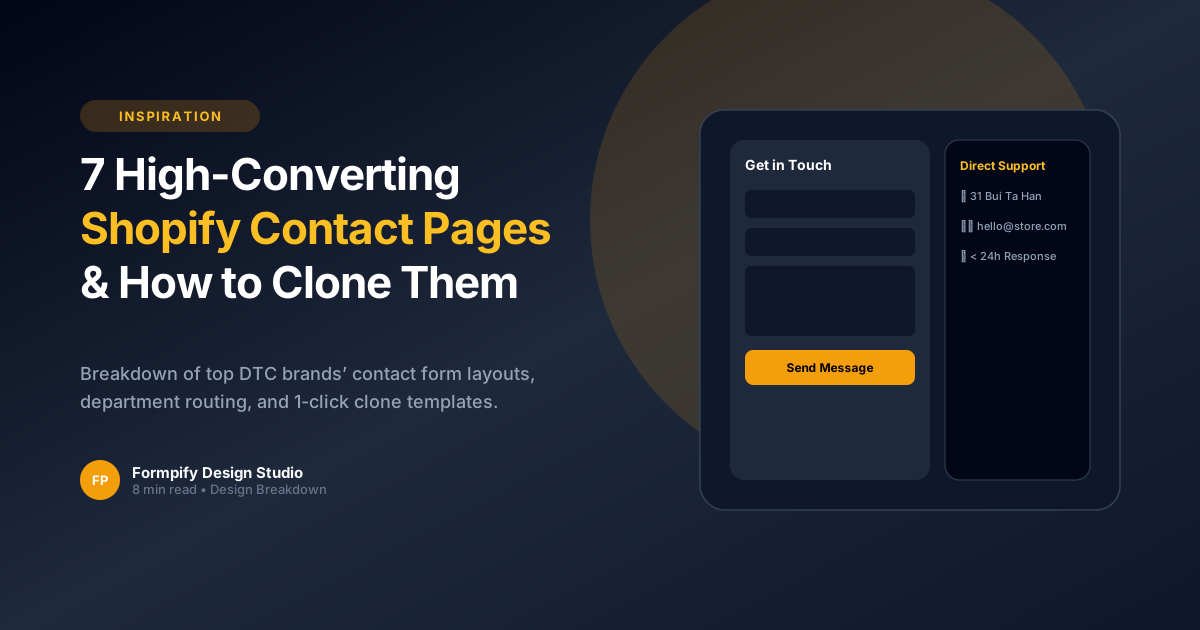
7 High-Converting Shopify Contact Us Page Examples (& How to Recreate Them)
Analyze the contact page layouts of top-performing e-commerce brands. Recreate their responsive 2-column grids and department routing in 1 click.
 E-commerce Growth
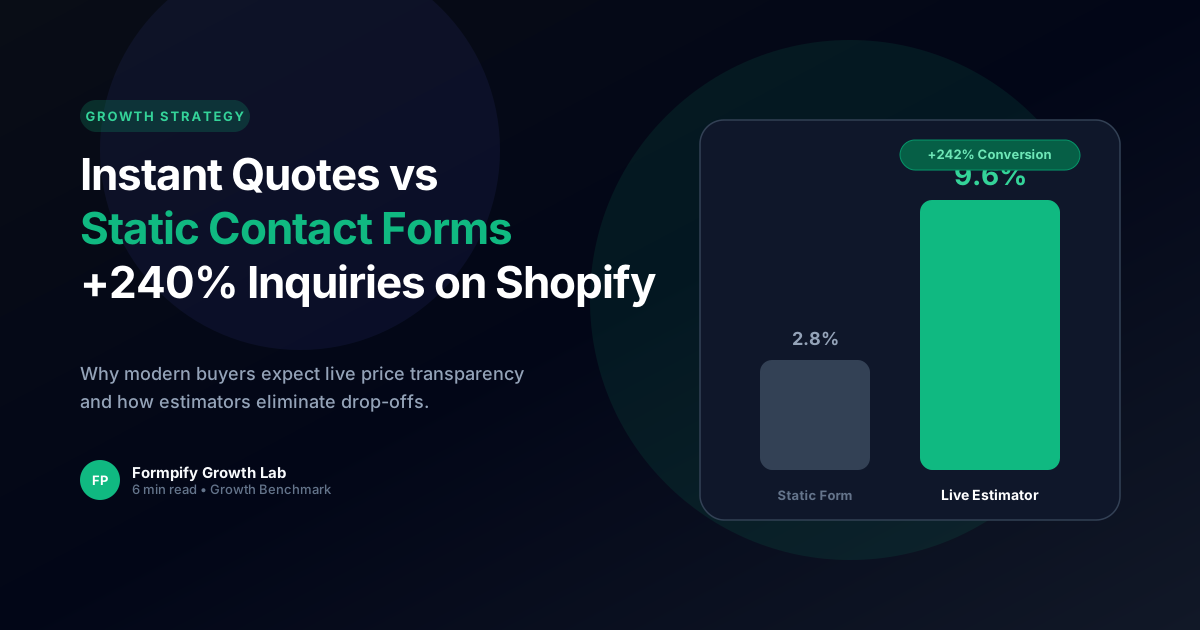
Instant Quotes vs Contact Us: How Dynamic Estimators Boost Shopify Inquiries by 240%
Detailed analysis of consumer purchasing psychology: why price transparency converts more high-value inquiries than generic contact forms.
 E-commerce Growth
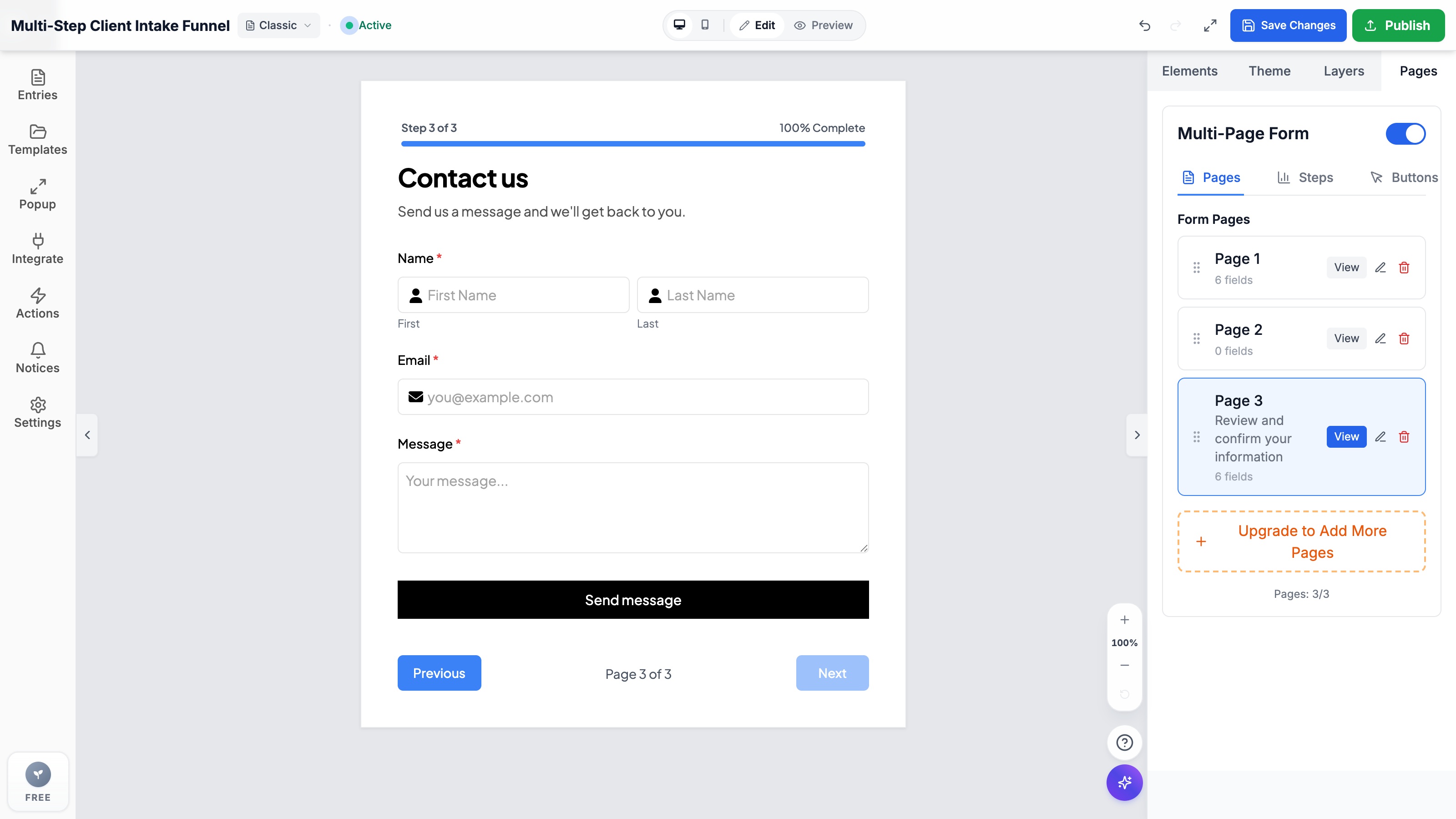
How to Create High-Converting Multi-Step Forms on Shopify to Double Leads (2026 Guide)
Break intimidating questionnaires into digestible, high-converting steps. Complete guide with design tips, progress indicators, and validation rules.
Ready to supercharge your Shopify forms?
Join thousands of merchants creating custom forms, surveys, and live cost calculators.