
How to Use the Product Field
April 17, 2026
Formpify Academy
Product Field Checkout
Transform forms into payment checkouts by building product catalogs and customizing display modes.
The Product field is the core component for accepting payments and building order forms. It instantly transforms any standard form into a powerful, secure checkout experience.
Catalog Management
You don't need a complex e-commerce backend to sell online. Formpify lets you manage your inventory directly within the form builder.
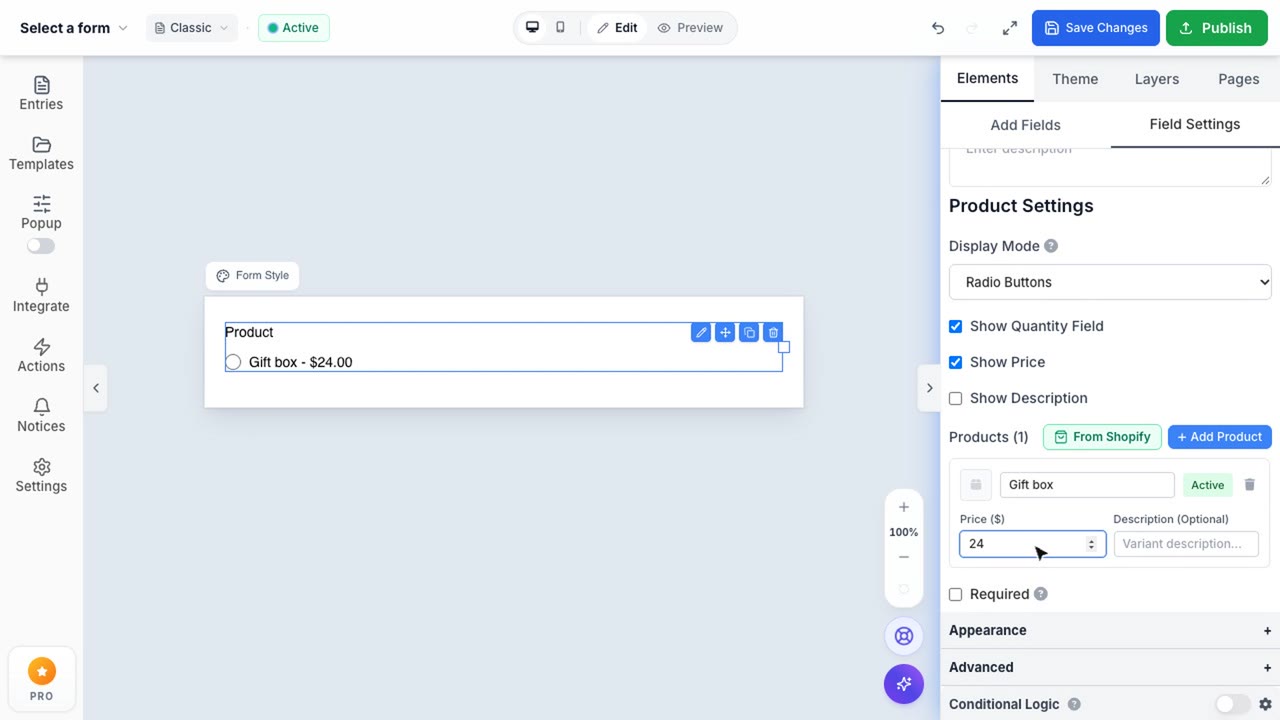
- Add Products: Quickly create individual items (e.g., "Standard Ticket", "VIP Ticket").
- Assign Pricing: Set exact prices for each item. Formpify will automatically handle the math when respondents make their selections.
- Rich Descriptions: Add helpful subtitles or descriptions to clarify what each product includes.
Customizable Display Modes
Different products require different shopping experiences. The Product field allows you to switch between multiple display modes to match your specific checkout flow.
- Dropdown: Best for saving space when you have a long list of variations (e.g., T-shirt sizes).
- Radio Buttons: Ideal for choosing a single tier or ticket type, rendered as beautiful, modern selection cards.
- Checkboxes: Perfect for add-ons and allowing customers to purchase multiple items at once.